
The Stack - Modular Raspberry Pi Case
 par Chordless


Fichiers imprimables (16)
-
 stl
stlPI4_Enclosure_MK5.stl
139 Ko · 2 186 téléchargements
-
 stl
stlPI3B_Enclosure_MK1.stl
156 Ko · 1 993 téléchargements
-
 stl
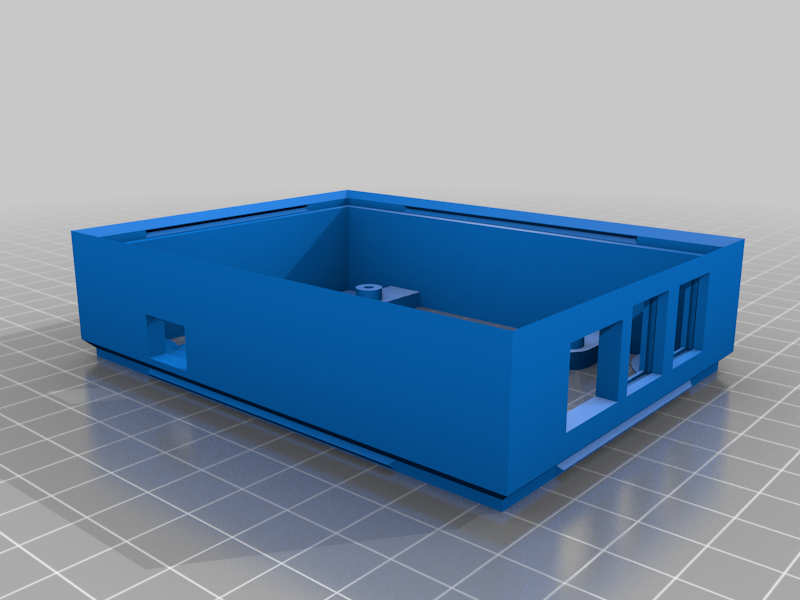
stlPI2_Enclosure_MK2.stl
146 Ko · 1 884 téléchargements
-
 stl
stlPI1B_Enclosure_MK1.stl
84 Ko · 1 888 téléchargements
-
 stl
stlFan60_Enclosure_MK2.stl
67 Ko · 2 010 téléchargements
-
 stl
stlVent_MK2.stl
127 Ko · 2 103 téléchargements
-
 stl
stlBottom_Lid_MK3.stl
4 Ko · 2 246 téléchargements
-
 stl
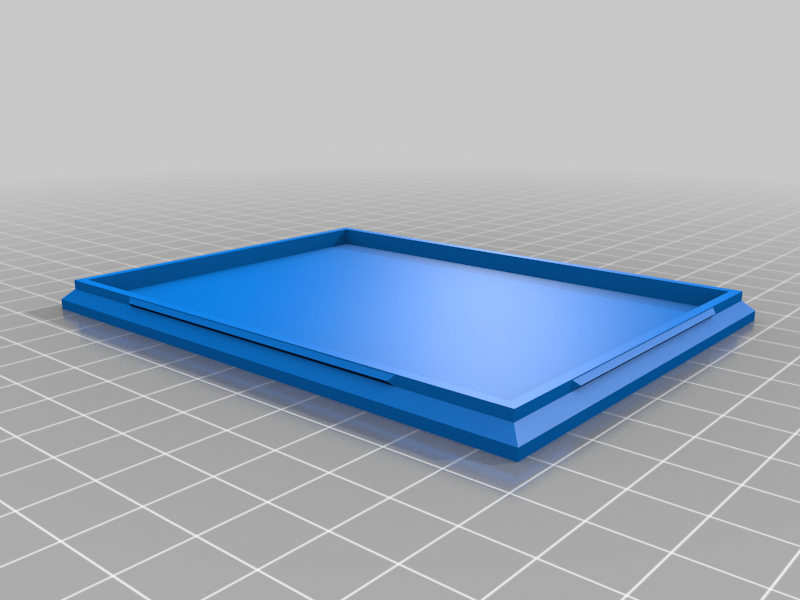
stlTop_Lid_MK2.stl
5 Ko · 2 123 téléchargements
-
 stl
stlSpacer_Minimal_MK1.stl
29 Ko · 2 012 téléchargements
-
 stl
stlSpacer_Medium_MK1.stl
29 Ko · 2 016 téléchargements
-
 stl
stlFan40_Enclosure_MK1.stl
40 Ko · 1 650 téléchargements
-
 stl
stlTopLid_W_Official_PI4_Fan_MK2.stl
23 Ko · 1 532 téléchargements
-
 step
stepThe_Stack.stp
185 Ko · 1 012 téléchargements
-
 stl
stlSSD_Enclosure_MK4.stl
65 Ko · 1 035 téléchargements
-
 stl
stlSSD_Enclosure_With_Vents_MK1.stl
101 Ko · 552 téléchargements
-
 stl
stlTop_Lid_With_Pi5_Cooler_Funnel_MK3.stl
122 Ko · 534 téléchargements
Description
Updates:
- 2024-04-25: Added new top lid with custom ventilation hole for the Pi5 Active Cooler.
- 2024-04-24: Added new type of SSD holder module with vent holes.
- 2021-03-20: Added a top lid with hole/slot for the official Pi4 fan.
Notable remixes:
- Raspberry Pi 5 Case (Thanks Trashware!)
A modular case for Raspberry Pi. Print the modules you want, and click them together to make a customized case. This is mostly intended for headless home server or NAS type usage of Raspberry Pi; none of the cases have holes for HDMI cables! (Look in remixes if you want variants with holes for HDMI cables.)
Supports pretty much all Raspberry Pi modules you might want to use as a server.
Available Modules
- Raspberry Pi 5 holder (see Trashware's remix)
- Raspberry Pi 4 holder
- Raspberry Pi 3B holder
- Raspberry Pi 2 holder
- Raspberry Pi 1B holder
- SDD / HDD holder (2.5")
- SDD / HDD holder (2.5") - with ventilation holes
- Fan enclosure (60mm fan)
- Fan enclosure (40mm fan)
- Vent hole module
- Spacer (tiny)
- Spacer (medium)
- Bottom lid
- Top Lid
- Top Lid with Pi 4 fan holder
- Top Lid with Pi 5 Active Cooler air funnel
Raspberry Pi holder assembly
(Similar for all Raspberry Pi types)
The Pi slides into the case from the top. There are grooves inside the case walls to hold the "flanges" on the usb ports. Make sure these go in the correct place. It's best if you have M2.5 screws for mounting the Pi. I don't, so i used M3 screws. I drilled out the holes on the Pi to 3mm, and drilled out the holes on the Pi holder to 2.5mm. Make sure you don't use screws with large heads; they might make contact with the Pi and short something out.
Note on fans
As of Pi4 and Pi5, there are official cooling accessories from the Raspberry Pi company. For a small stack, these are great options for cooling. Look at the specialized Top Lid variants to find something to match your cooling solution (the official Pi4/Pi5 fan or the Active Cooler). For a larger stack you might want to use a larger fan as described below.
Fan holder assembly
I recommend using a 12V fan, and using a boost converter to power it. This means we take 5V from the GPIO pins on the Raspberry Pi, "boost" it to maybe 9-10V, and power the fan from this. This will make the fan run slower and more quietly. It's also possible to run a 5V fan directly from the GPIO pins, but then the fan will be running at full speed = loudly.
UPDATE: I've had some stability problems when running a large fan directly from the Pi GPIO pins. If possible, set the fan up with a separate power supply.
Recommended boost converter: https://ebay.us/SoUdvL